
Running it day to day
Ten minutes a week, honestly.
See what matters at a glance
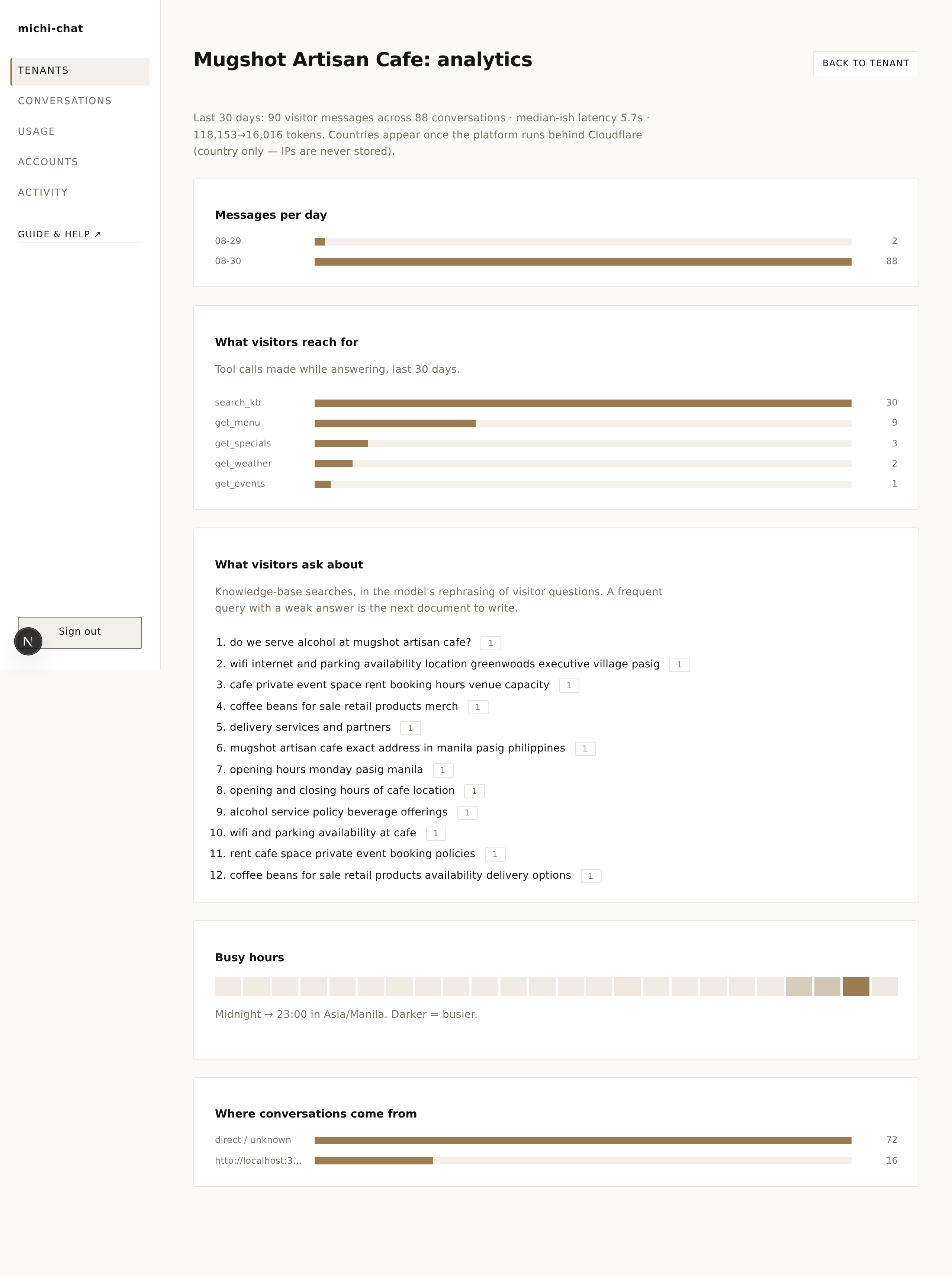
Tenant → Analytics turns the raw data into decisions: messages per day, which capabilities visitors reach for, the exact knowledge-base searches they triggered (a frequent query with a weak answer is your next document to write), busy hours, and where conversations come from. Country-level location appears when the platform runs behind Cloudflare - IPs are never stored.
The "What visitors reach for" bars name the lookups by their function id; under the bars, each one is explained in plain words - what it does, what goes in, what comes back - so you never need the code to understand what the assistant did.
Let staff help
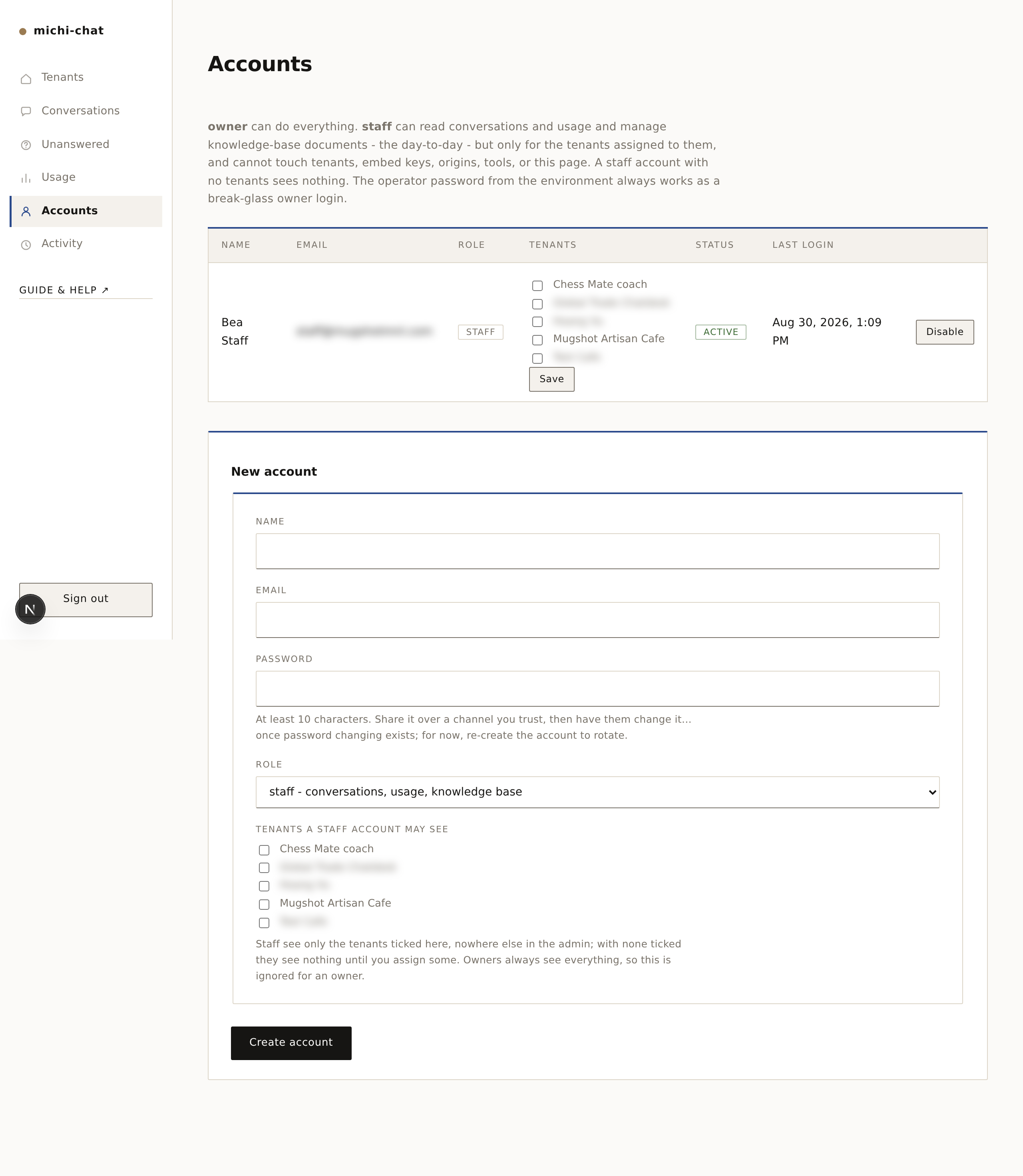
Accounts (owner only) creates staff logins: staff can read conversations and usage and maintain the knowledge base, but cannot touch tenants, embed keys, or settings. The day-to-day loop below is exactly what staff accounts are for.
Staff see only the tenants you tick for them - on the form when you create the account, or later with the checkboxes on their row and that row's Save. A staff account with nothing ticked sees an empty admin until you assign it, so a new login is safe by default. Changes apply on the account's next page load, no re-login needed. To try it yourself, create a test staff account, tick one tenant, sign out and log in as it; Disable the row when you are done.
Read what customers ask
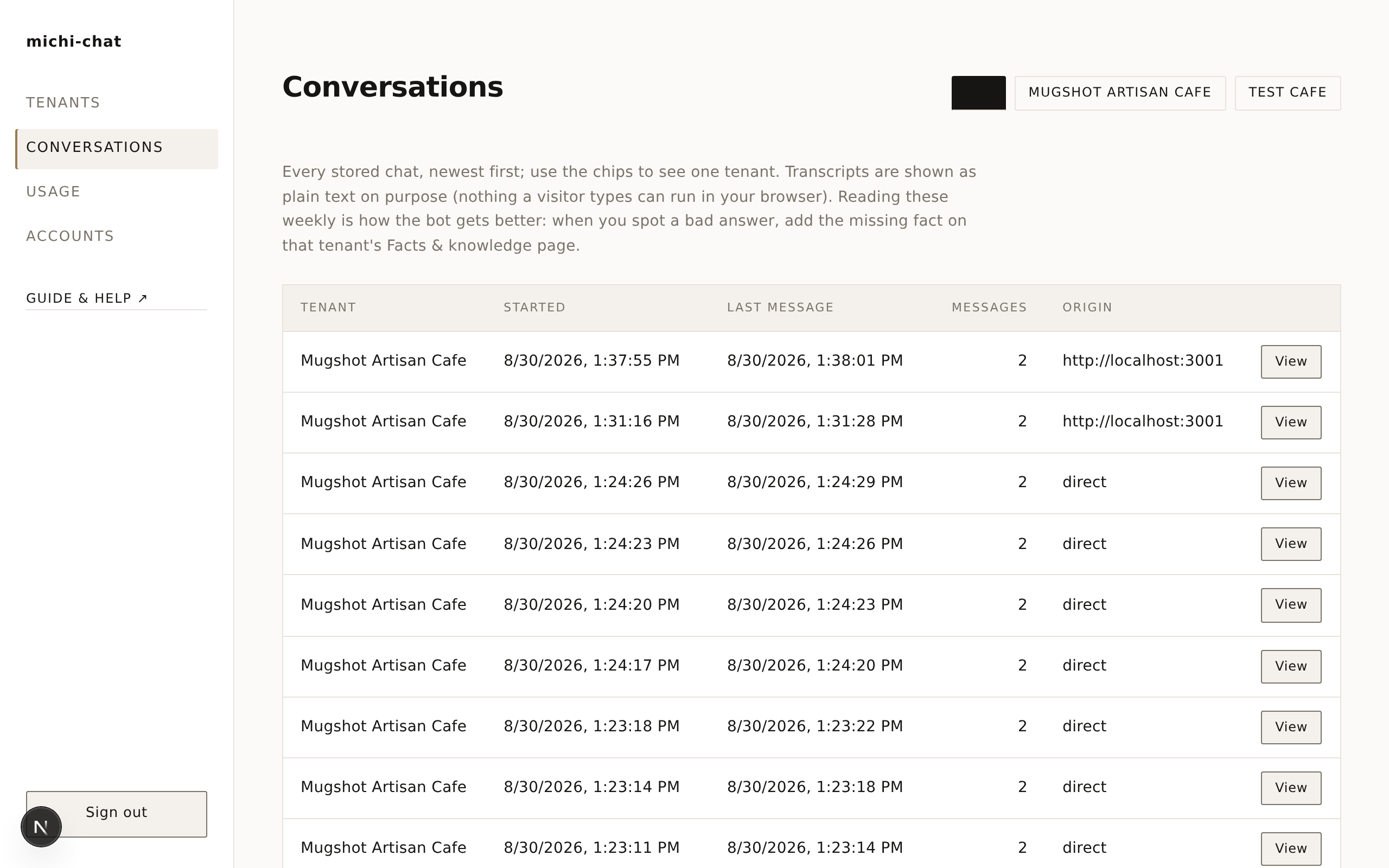
Conversations shows every chat, newest first. This is the most valuable page in the product: it's a diary of what your customers want to know.
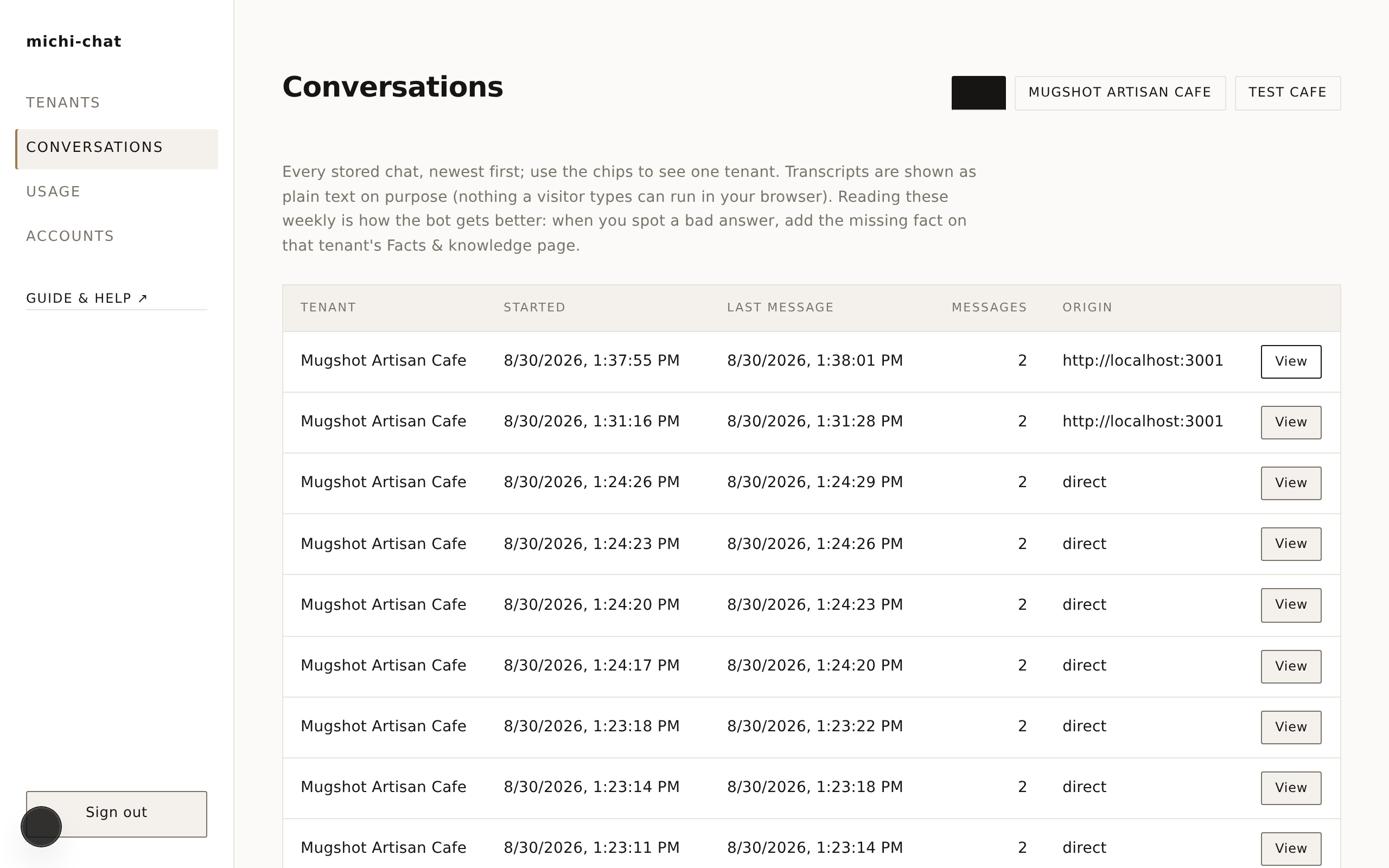
Open one to read the full exchange, including which lookups the assistant used:
Suspicious chats are marked with a 🚩 (the platform flags prompt-injection bait and /command probes on its own; you can flag or unflag any conversation by hand from its transcript), and the 🚩 Flagged chip shows only those.
Fix a wrong or missing answer
When you spot the assistant saying "I don't know" to something it should know - or being vague - the fix is always the same: open Knowledge base, add or sharpen the fact, save. The very next question uses the new answer. No restarts, no waiting.
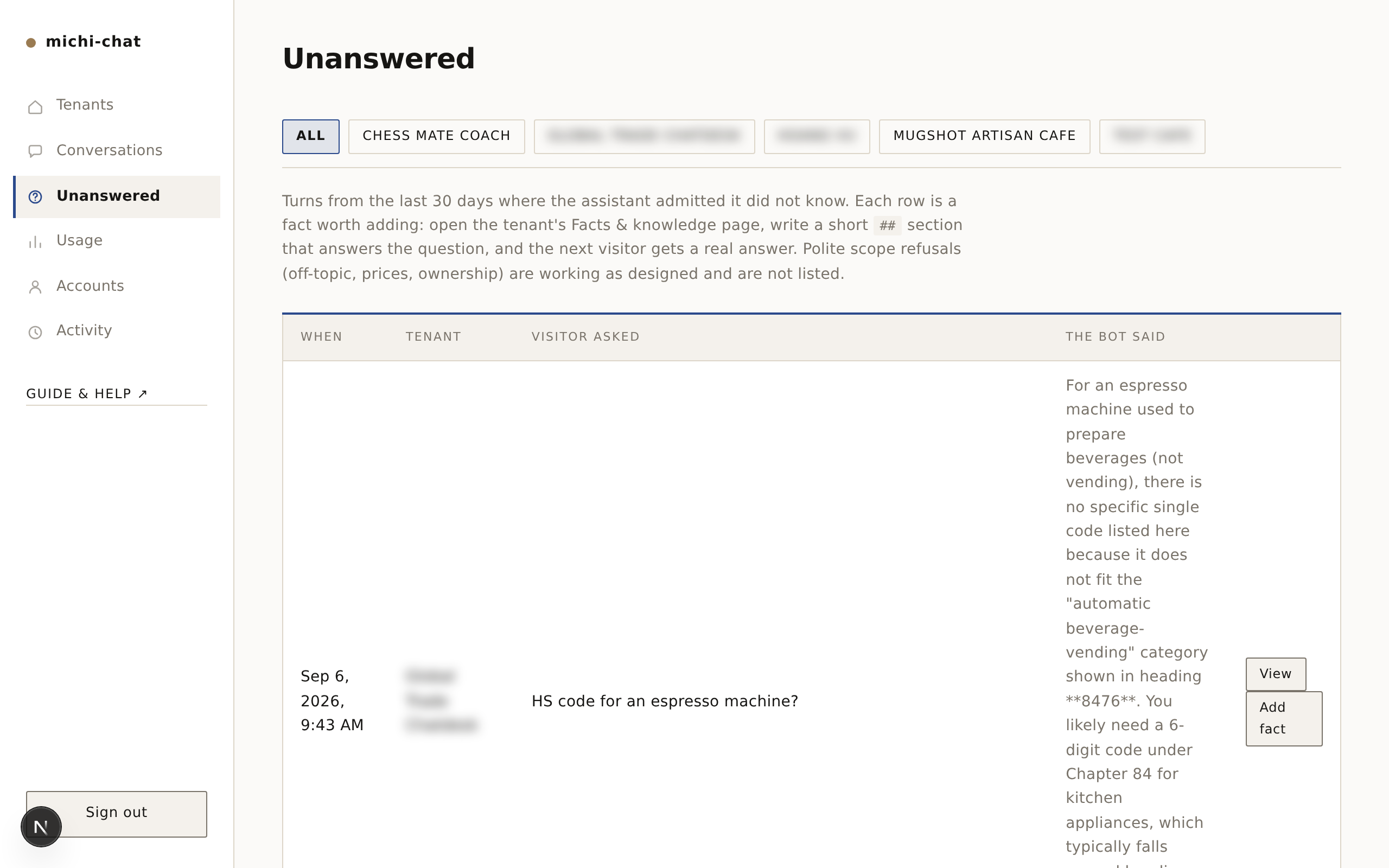
Unanswered does the spotting for you: it lists every turn where the assistant admitted it didn't know, with the visitor question that caused it and an Add fact shortcut. With several businesses on one instance, the tenant chips at the top narrow the list to one of them. Working that list weekly is the highest-leverage habit in the admin - every row you fix is a question answered properly forever after.
Watch the numbers
Usage shows messages per day per business, so you can see quiet weeks, busy launches, and how close you run to your daily cap.
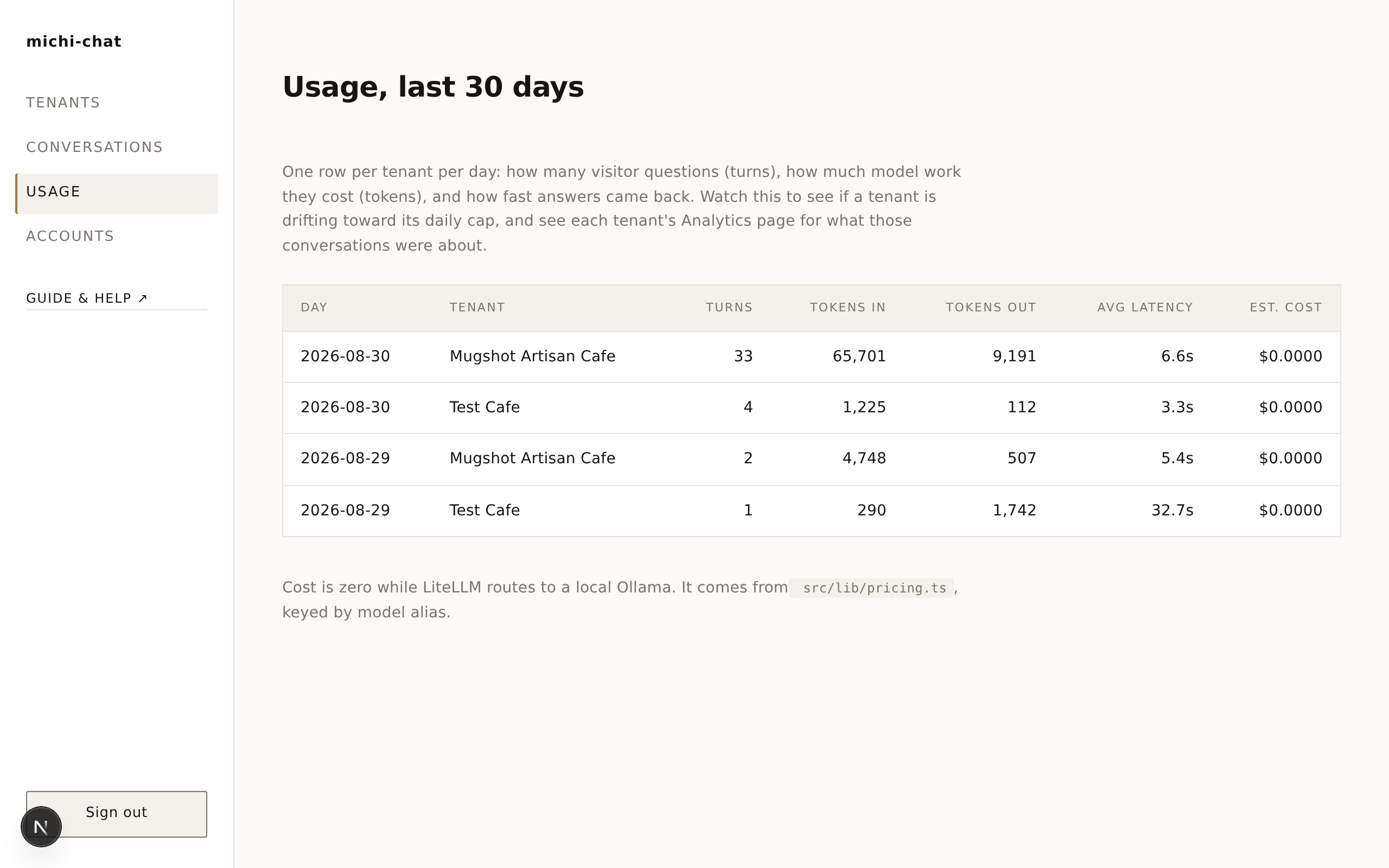
If you hit the cap on normal days, raise it in the settings; if you hit it because something hammered the chat, the cap did exactly its job.
Get pinged when it matters
With a Slack webhook configured, each new conversation lands in your Slack as it starts, with the visitor's first message - nice for hopping in personally during opening hours. You'll also get one alert if the daily cap is reached.
Never made a webhook? It's free and takes about two minutes:
- Go to api.slack.com/apps and click Create New App → From scratch. Any name ("Cafe pings" is fine), pick your workspace.
- In the app's menu, open Incoming Webhooks and switch the toggle on.
- Click Add New Webhook to Workspace and choose the channel that should receive the pings (a private
#cafe-chatchannel works well). - Copy the URL Slack shows you - it starts with
https://hooks.slack.com/services/- and paste it into Tenant → Notifications. Save, and the next conversation pings you.
Only that exact kind of URL is accepted; anything else is rejected on purpose (it's a security boundary). To stop the pings, clear the field; to change channels, make a new webhook and paste the new URL.
The habit that compounds
Once a week, skim the conversations and add one knowledge-base fact for anything the assistant fumbled. After a month of that, it answers like your best barista.